
Creating high-quality content is no longer optional if you want to grow on YouTube. With millions of creators uploading daily, editing has become one of the most important steps in producing videos that attract views, subscribers, and engagement. Whether you are a beginner uploading your first vlog or a professional creator building a brand, choosing the right YouTube video editor can completely change your content game.
In this detailed guide, we’ll explore what a YouTube video editor is, why it matters, what features you should look for, and how to pick the best editing software for your specific needs.
What is a YouTube Video Editor?
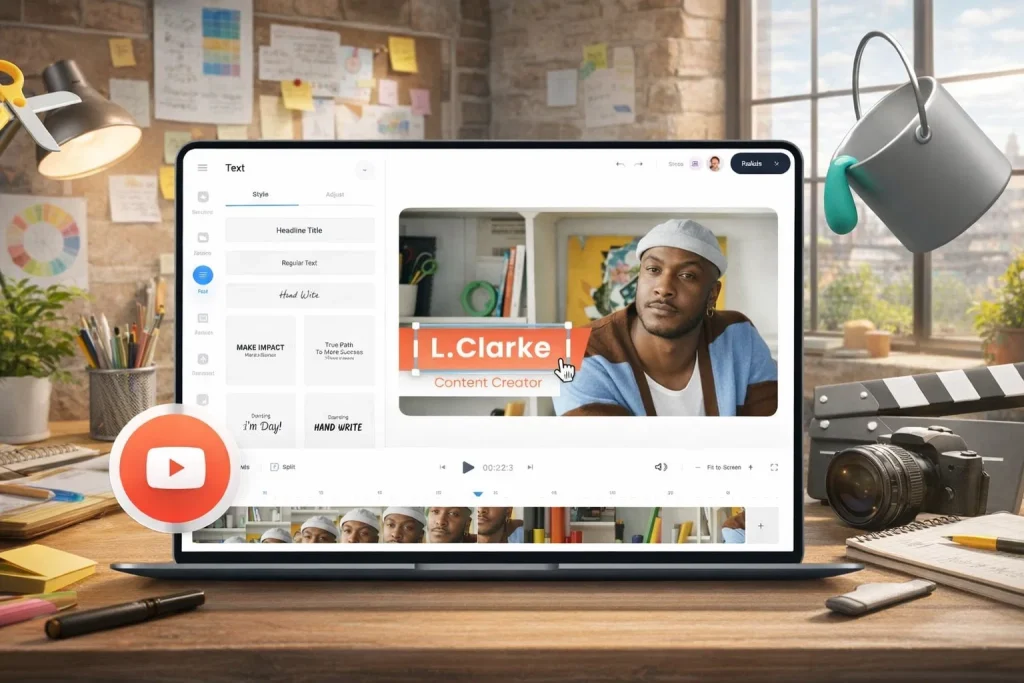
A YouTube video editor is software or an online tool used to cut, enhance, and polish raw video footage before uploading it to YouTube. Editing software allows creators to add transitions, music, subtitles, text overlays, special effects, and more. It turns basic recordings into professional-quality content that keeps viewers watching longer.
Video editing is not just about cutting mistakes—it’s about storytelling. A good editor helps you control pacing, highlight key moments, and maintain audience attention from start to finish.
Why You Need a YouTube Video Editor for Channel Growth
Many creators think they can upload raw footage and still succeed, but YouTube’s algorithm rewards videos that keep viewers engaged. Editing directly impacts your watch time, retention rate, and overall quality.
Here are some major reasons why a YouTube video editor is essential:
1. Better Watch Time and Retention
A properly edited video removes boring parts and keeps the pace smooth. This increases watch time, which helps your video rank better in YouTube search and recommendations.
2. Professional Appearance
Viewers judge your channel in seconds. Clean transitions, clear audio, and good visuals make your channel look more trustworthy and professional.
3. Stronger Branding
With editing, you can add intros, logos, custom fonts, and consistent color styles that build your identity.
4. Improved Storytelling
Even simple cuts and background music can make your content more emotional and engaging.
5. More Opportunities for Monetization
Brands and sponsors are more likely to work with creators who produce high-quality videos. Editing plays a huge role in making your content look sponsor-friendly.
Key Features to Look for in a YouTube Video Editor
Not all editors are the same. Some are designed for beginners while others are built for professional filmmakers. Before choosing the best YouTube video editor, make sure it includes these important features.
1. Easy Timeline Editing
Timeline editing is the core of any video editor. It allows you to drag and drop video clips, cut them, and rearrange them easily. Beginners should look for a clean interface with a simple timeline system.
2. High-Quality Export Options
Your editor should support exporting videos in high resolution, including:
- 1080p Full HD
- 4K Ultra HD
- 60 FPS for smooth motion
- YouTube optimized export settings
If you want your videos to look sharp and professional, export quality matters.
3. Audio Editing Tools
YouTube viewers will forgive average visuals, but they won’t tolerate bad audio. A good YouTube video editor should include:
- Audio equalizer
- Noise reduction
- Voice enhancement
- Background music controls
- Audio syncing options
4. Transitions and Effects
Transitions help your clips flow smoothly. Effects make your video visually appealing. Look for editors that include:
- Fade in/out
- Zoom transitions
- Glitch effects
- Slow motion and speed ramping
- Color filters
However, don’t overuse effects. Clean and simple edits often perform better on YouTube.
5. Text and Subtitle Support
Subtitles are extremely important for accessibility and global audiences. A strong YouTube video editor should allow:
- Adding captions
- Custom text overlays
- Animated titles
- Lower thirds for names and information
Many creators use text to emphasize points and keep viewers engaged.
6. Color Correction and Grading
Color correction helps your footage look brighter and more cinematic. If you vlog or film outdoors, lighting conditions can change often. A video editor with color grading tools helps you maintain a consistent look.
7. Speed Control and Slow Motion
Speed adjustments are essential for YouTube content. Creators often use speed ramps in:
- Gaming videos
- Reaction content
- Tutorials
- Travel vlogs
A good editor should allow smooth slow motion and fast-forward effects without losing quality.
8. Multi-Layer Editing
If you want to add overlays, background music, sound effects, and multiple video clips, multi-layer editing is necessary. This is especially useful for:
- Podcast editing
- Documentary-style content
- Gaming videos with webcam overlay
- Green screen effects
9. Built-in Templates and Presets
Templates save time and make editing easier. Many YouTube creators use templates for intros, outros, transitions, and social media callouts.
If you upload frequently, templates are a major advantage.
Types of YouTube Video Editors
Choosing the right YouTube video editor depends on your workflow and skill level. Editors come in different formats, each with its own benefits.
1. Desktop Video Editors
Desktop editors are installed on your computer and usually offer the most powerful features. They are best for creators who want advanced editing, high-quality exports, and full control.
Best for:
- Long-form content
- Cinematic editing
- Professional YouTubers
2. Mobile Video Editors
Mobile editors are perfect for creators who edit on smartphones. Many short-form creators use mobile apps to produce quick content for YouTube Shorts.
Best for:
- Vlogs
- YouTube Shorts
- Lifestyle content
- Quick editing on the go
3. Online Video Editors
Online editors work in your browser. These are great for beginners who don’t want to install heavy software. They also work well for simple editing tasks like trimming, adding music, or subtitles.
Best for:
- Beginners
- Fast editing projects
- Simple YouTube videos
Best YouTube Video Editor for Beginners
If you are just starting your YouTube journey, you need an editor that is simple and user-friendly. Beginners should focus on tools that offer:
- Easy drag-and-drop editing
- Built-in music and transitions
- Quick export settings
- Tutorials and learning support
A beginner-friendly YouTube video editor should help you learn editing without feeling overwhelmed.
Best YouTube Video Editor for Professionals
Professional creators need advanced tools such as:
- Multi-camera editing
- Advanced color grading
- Professional audio mixing
- Motion graphics support
- High-quality rendering speed
If you run a serious channel, investing time in professional editing software is worth it because it improves your production value.
How to Choose the Right YouTube Video Editor
Choosing the best YouTube video editor depends on your content type, budget, and skill level.
Here are some important questions you should ask yourself:
What Type of Videos Do You Make?
Different content needs different editing tools:
- Gaming videos need overlays, screen recording support, and audio mixing.
- Vlogs need fast trimming, music, and transitions.
- Educational videos need text overlays, screen recording, and clean editing.
- Cinematic videos need color grading and advanced effects.
What is Your Budget?
Some editors are free, while others are paid. Free editors are good for beginners, but paid tools often provide:
- Better export quality
- More effects
- Faster rendering
- No watermarks
If you plan to grow on YouTube long-term, a paid YouTube video editor can be a valuable investment.
What Device Do You Use?
If you use a low-end laptop, heavy editing software may lag. In that case, lightweight or cloud-based editing tools are better.
For high-end PCs and Macs, you can handle professional-grade editors with advanced features.
How Often Do You Upload?
If you upload weekly or daily, speed matters. Look for tools that offer:
- Templates
- Fast rendering
- Quick shortcuts
- Auto caption generation
The right YouTube video editor can help you save hours every week.
Editing Tips to Make Your YouTube Videos Look Professional
Even if you have the best editor, you still need good editing techniques. Here are some powerful tips that can instantly improve your videos.
1. Cut Out All Unnecessary Parts
YouTube audiences prefer fast-paced content. Remove pauses, mistakes, and long silent sections.
2. Add Background Music Carefully
Music makes videos more engaging, but it should not overpower your voice. Keep music volume low and smooth.
3. Use Text to Highlight Key Points
Adding text helps viewers understand your message quickly, especially in tutorials or motivational videos.
4. Use Smooth Transitions
Don’t overuse fancy transitions. Simple fades and cuts look cleaner and more professional.
5. Add Subtitles for Better Engagement
Subtitles increase watch time because viewers can follow even without sound. This is especially important for Shorts.
6. Improve Your Thumbnail and Intro Style
While thumbnails are separate from editing, your intro style matters. Keep intros short (5–8 seconds). Long intros can reduce retention.
Why Editing is the Secret Weapon of Successful YouTubers
Many new creators focus only on recording, but editing is what makes content stand out. Big YouTubers invest heavily in editing because it directly impacts:
- Audience retention
- Subscriber growth
- Engagement (likes, comments, shares)
- Professional branding
- Monetization opportunities
Even if you’re not a professional editor, learning the basics of a YouTube video editor will make your content 10x better.
Common Mistakes to Avoid When Using a YouTube Video Editor
Even experienced creators make mistakes that reduce video performance. Avoid these common editing problems:
Overusing Effects
Too many effects can make your video look messy and distracting.
Ignoring Audio Quality
Bad audio can ruin the best video footage. Always clean up noise and balance sound levels.
Making Videos Too Long
If your content is not engaging, long videos hurt retention. Cut unnecessary parts.
Not Using Call-to-Actions
Add simple reminders like “Subscribe” or “Like the video” using text or animation. This increases engagement.
Exporting in Low Quality
Always export your videos in at least 1080p. Low-resolution videos look unprofessional and reduce credibility.
Future Trends in YouTube Video Editing
YouTube video editing is evolving fast, and creators are using new technologies to save time and improve quality.
Some of the biggest trends include:
- AI-powered video editing
- Auto subtitles and translation tools
- One-click templates for Shorts
- Faster rendering with cloud editing
- Smart background removal and green screen effects
Modern YouTube video editor tools are becoming more beginner-friendly while still offering professional-level features.
Final Thoughts: Which YouTube Video Editor is Best for You?
The best YouTube video editor depends on your goals. If you’re a beginner, choose something simple and easy to learn. If you’re serious about building a channel, go for advanced editing software that offers full creative control.